Decide who will listen and which family moment to tell
Start a family photo slideshow script by choosing its audience. Relatives who were on the outing need different context from someone who was not there. If listeners already know the place, you can spend fewer words introducing it and add a brief moment that happened outside the frame.
The family, outing, six photos and all narration below are original editorial fiction. For a real script, choose photos the people involved are comfortable showing to the intended audience. You might start with a 60-90 second target, but that is an unmeasured planning estimate. The same six photos can take different amounts of time according to the wording and pauses.
Match six pictures to six speaking roles
The fictional sequence shows shoes by the front door, a map at the park entrance, lunch on a picnic blanket, a corner of the blanket lifting in the wind, a crossing on the way home, and water glasses on the table at home. They introduce the outing, establish the place, show action and change, then lead home and close the story. Choose photos that carry the story forward rather than simply matching in brightness or number of people.
Beside each photo number, note its job: "establish the place," "show one person's action," or "explain the change of plan." In the finished example, the words in quotation marks are the narration. The photo number and scene label help you find your place and are not spoken. Change the picture after reading its paragraph.
Read the first three complete narration segments
Photo 1, shoes by the front door: "Let me tell you about our family outing to a nearby park. Our shoes were lined up by the door that morning. We weren't going far, but packing lunch made it feel like a little trip. The next picture shows where those shoes took us."
Photo 2, the park entrance map: "At the park, we gathered in front of this map for a moment. We considered going straight to the pond, then decided to eat in the shade first. The hungry voices you can't see in the picture helped choose our route. Here is the spot we picked."
Photo 3, lunch on the picnic blanket: "We spread the blanket under a tree and opened our lunch boxes. One person put out the food while another passed around cups. Only hands are visible, but everyone was helping make a place to sit. We planned to rest after eating, and then the wind picked up."
Four steps to edit the six-photo narration
Choose your listeners and what you will show them. Give each of six photos a different role in the story.
Write the words you will actually say for each photo, ending with a connection to the next scene.
Read aloud while changing the pictures and time the full run. Mark repeated explanations or sentences that leave you short of breath, then revise them.
Read the revised script again to check the changeover points. Keep the source photos and final script; recording and assembling a video are separate tasks.
Finish with the last three narration segments
Photo 4, the blanket lifting in the wind: "When a corner of the blanket lifted, each of us grabbed the nearest thing. We put a water bottle on the corner and the empty lunch boxes in the bag. Our plan to lie down for a while changed, but we soon packed everything together. Then we chose the way home instead of the pond."
Photo 5, the crossing on the way home: "On the way back, we waited at the same crossing again. The lunch bag that had been full in the morning felt much lighter. We hadn't walked far, but we talked about what each of us had grabbed when the wind blew. Now for the final picture, taken after we got home."
Photo 6, water glasses on the table at home: "We took off our shoes and got out some glasses of water, and that was the end of our outing. These photos hold more helping hands than grand scenery: preparing lunch and gathering our things together. Next time, perhaps we'll find a less windy spot. Thank you for listening to our six-picture story."
Read aloud and measure the actual running time
Set out the six photos in order and read the script aloud from beginning to end while timing yourself. Read only the narration, leaving out the numbers and scene labels. Include the time needed to change pictures and breathe, just as you would when presenting. Record a running time only after measuring this actual script.
If it is too long for your aim, shorten repeated ideas or descriptions the picture already supplies. If it is shorter, decide whether to leave a pause for looking rather than inventing more events. Split a difficult sentence where you need a breath, then time the revision again. There is no need to reshape a real memory to meet the initial 60-90 second estimate.
Keep source photos and your written script clearly identified
Keep the original photos and match the script to them with notes such as "Photo 1 - front door - park map next." In Pogaem, you can save the selected photos and the script you write on the relevant date. If the outing and script-writing happened on different dates, state both in the text.
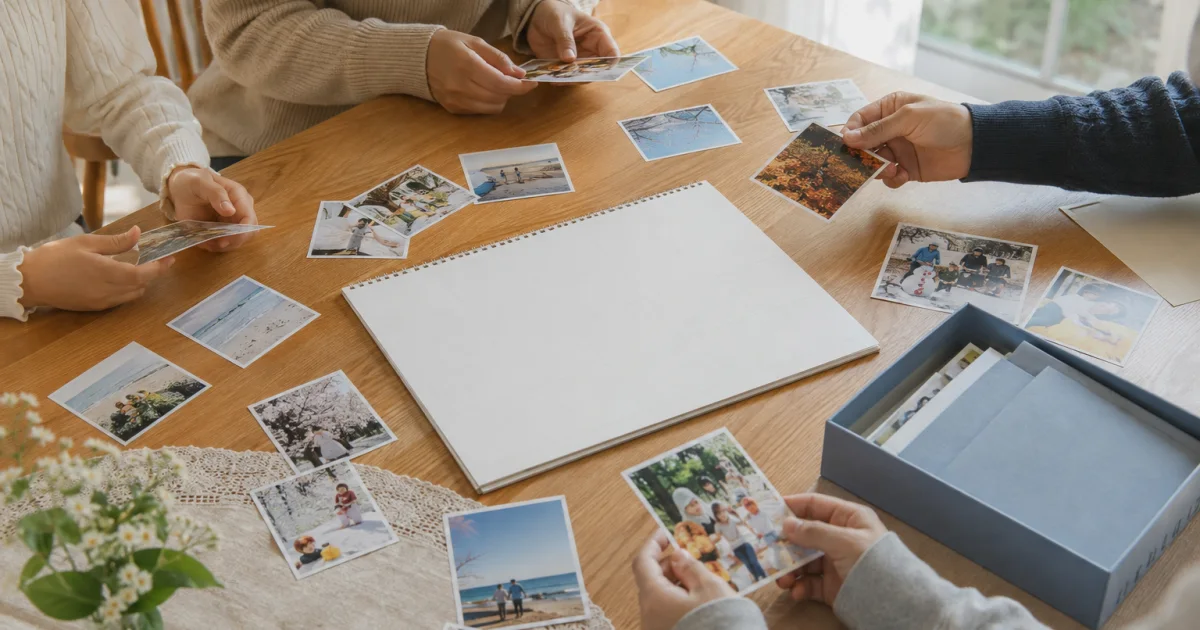
Assembling a video with photo changes and recording a voice track are separate work. This article does not assume that Pogaem reads these six segments or automatically generates a narrated slideshow. The cover illustrates a family spreading out seasonal photos; it does not show the six fictional outing photos or a finished video.
Frequently asked questions
Should I describe everything visible in each picture?
You do not need to name every visible color and object. Choose the place, actions outside the frame and connections to the next scene that help your listeners follow the story.
Will six photos always take 60-90 seconds?
No. That is an unmeasured planning estimate. Wording, reading pace, pauses and picture changes vary. Read the actual script aloud, time the whole run yourself, and record the measured duration afterward.
Does Pogaem read the script and make the slideshow?
This article concerns writing and rehearsing narration yourself. You can keep source photos and your own script in Pogaem; voice recording and video assembly are separate tasks.