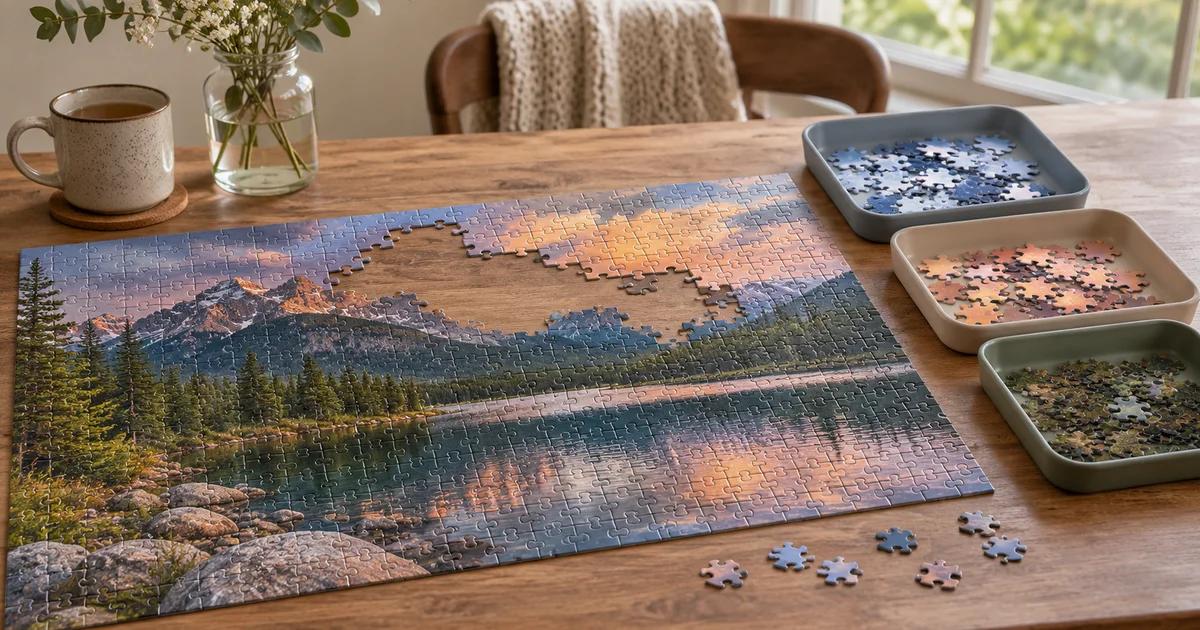
Match the photo’s top edge with your tray labels
Before pausing, photograph the whole puzzle and its sorting trays using one clear reference. “The sky in the box picture is at the top of the photo; Tray A contains sky patterns” helps you match the picture to the actual pieces later.
You do not have to draw on the photo. Describe positions such as upper left or lower right in the note, and put paper labels A, B, and C beside the real trays to connect them.
Make a map before putting it away
Take an overall photo showing completed and unfinished areas.
Label the trays and describe a visible feature of each group in one line.
Connect one area to revisit with a tray that may contain relevant pieces. Mark uncertain matches with a question mark.
Note where you actually stored everything, and check the matches when you unpack it again.
A fictional three-group note
For example: “Top of photo: sky in box image / A: blue patterns, possible upper-left pieces / B: red lines, possible roof pieces / C: unsorted / next: look at the gap on the right side of the roof.” Calling something a possibility keeps the note understandable if it turns out to fit elsewhere.
An unfinished gap is not a confirmed missing piece
Distinguish an area you have not completed from a piece you have confirmed is lost. If you have not checked all the trays, write “gap remains; missing-piece status unconfirmed.”
If the puzzle differs from the photo when you take it out, add the areas that shifted or groups you sorted differently. A photo cannot physically hold pieces in place; follow the instructions for the storage equipment you use.
Keep the paused and resumed states in Pogaem
Collect the overall photo, tray photos, and matching note on the date you paused. Start a new entry on the day you resume. Repeating the same puzzle name in both titles gives you a clue for finding the earlier state yourself.
Before sharing box art or a completed image publicly, check the puzzle maker’s terms. This method does not assume that Pogaem finds matching pieces or detects missing ones.
Frequently asked questions
Do I need to mark the photo itself?
No. You can connect the photos through a written orientation reference and tray labels.
What should I write when there are many gaps?
Choose one area to revisit and state only what you have confirmed about any missing pieces.
What if it looks different when I unpack it?
Record the actual changes and new tray arrangement on the new date. You do not have to rewrite the old photo as today’s state.