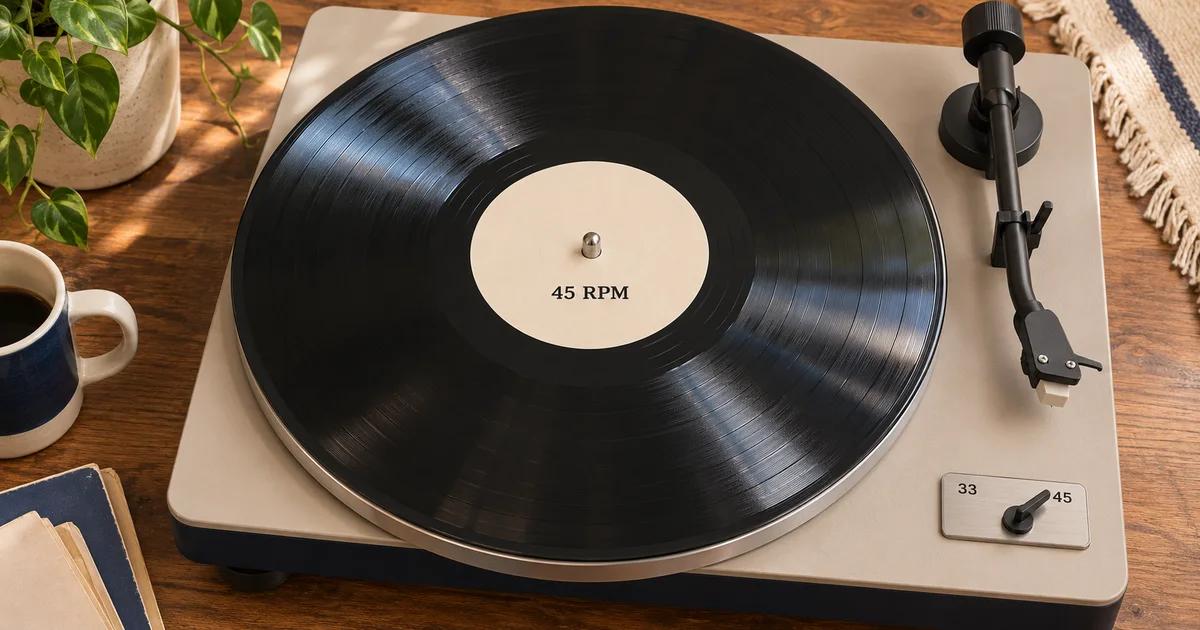
Read the speed before you cue the record
Check the center label for the side and its playback speed. Use the 33⅓ setting, often marked 33, for a record labeled 33⅓ rpm. Choose 45 for one labeled 45 rpm. A pressing plant can make a 12-inch record at either speed.
Know which numbers belong together
A or B identifies the side. RPM means revolutions per minute. A longer string of letters and digits may be the catalog number for that release. If the speed is faint or printed only on the sleeve, check that the number on the sleeve matches your copy.
Check each disc as it comes out of the sleeve
Keep the stylus raised and identify the side facing up. Angle the label toward the light to look for a marking such as 33⅓ RPM or 45 RPM.
If you can't find one, check the sleeve or the issuing label's release notes for that pressing. Compare catalog numbers and edition details. A reissue may carry the same title.
Once you've identified the speed, use your turntable's instructions to select it and play the record. If the edition is still unclear, mark the speed as unconfirmed while you look for a better match.
Switching between two 12-inch records
For a listening-session example, imagine that side A of the first record says “33⅓ RPM” and side A of the next says “45 RPM.” Take the first record off and put the second on. Before lowering the stylus again, change the setting to 45.
Try the note “side A, 45 RPM printed on the right of the label.” If you later borrow another pressing of the same title, check its markings before carrying that setting over.
Save the detail you had to hunt for
Add a legible label photo to the listening date in Pogaem and note the side and speed. If the sleeve supplied the answer, include the part with the matching catalog number and speed. You can retrace the match if the jacket and disc get separated.
Frequently asked questions
Does a large center hole mean 45 rpm?
The hole size and the disc diameter are insufficient to identify the playback speed on their own. Look for a marking on the record or information for that specific release.
The button says 33 and the record says 33⅓. Which do I use?
On many turntables, 33 is the short label for the 33⅓ rpm setting. Check the speed-control section of your model's manual to confirm.
What if the sleeve and the label give different numbers?
Check whether both numbers refer to speed, then match the side and catalog number. A swapped sleeve or another edition can cause a mix-up. Look for the issuing label's information for your pressing.
Sources
- Pirates Press vinyl format and speed specifications · Accessed: 2026-11-25