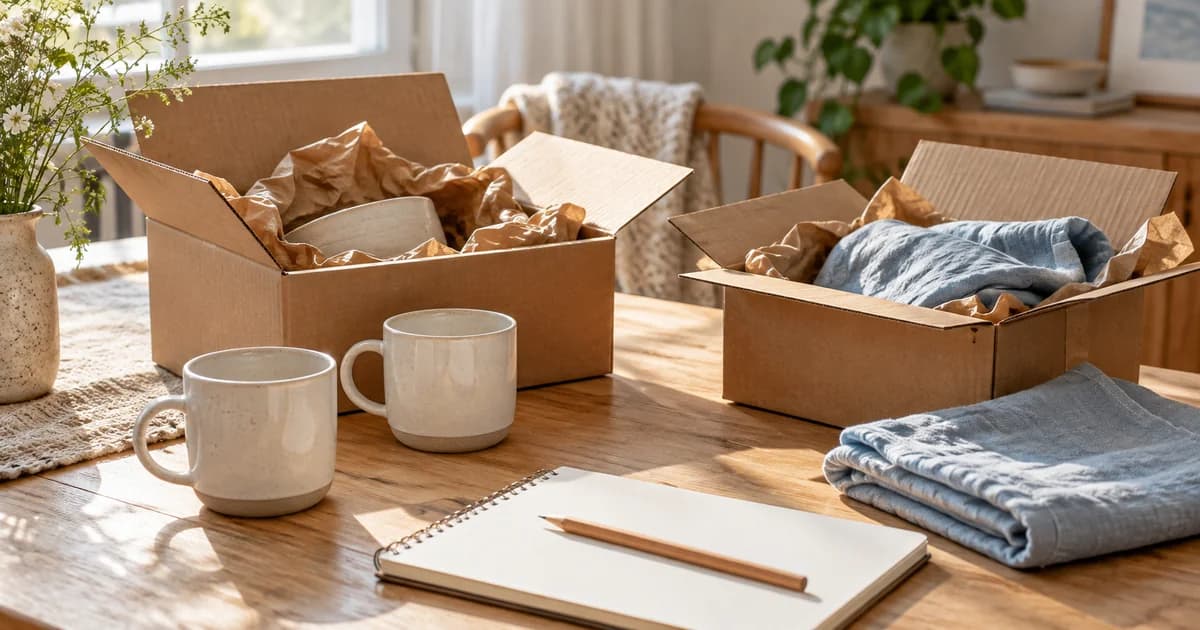
Give an order and each physical box different names
Choose a personal order name and separate box identifiers, then connect each item within what you confirmed. One order can arrive in two boxes, while one box can contain items from several orders. If the connection is unclear, leave it unconfirmed rather than assigning everything to one order. The names are clues for your own record, not a replacement for the seller's order information.
An order screen describes what was requested; unboxing photos show what you checked at that moment. Keep those sources distinct instead of treating both as the same contents list. Several pictures may show one box from different angles. Their number does not establish how many boxes arrived or how many objects you received, so count the actual things rather than the photographs.
Receipt and opening can happen on different days
An invented editorial example is “Household order A / box 1 / received October 24 / opened October 25 / two mugs checked / fabric still to check in another box.” It is not an account of a real purchase or a seller's delivery terms. A box that has arrived but remains unopened should not appear in the diary as though its contents were already confirmed.
Keep dispatch messages and delivery-complete screens as separate reference material. Seeing a box at your door does not confirm every component inside. After checking the contents, record the actual names and quantities. If something appears different from the product description, preserve it as a question to clarify rather than turning the photograph alone into a settled conclusion about what happened.
Match contents across boxes with their order items
Give each order a personal name and each physical box a separate identifier.
On the opening date, keep photos identifying the contents and quantities you actually checked.
Compare ordered items with the physical contents, distinguishing received items from those still unchecked.
When another box arrives, add a new entry and connect it through the earlier order name.
A set, an individual piece, and a box use different units
If the order says “one set” but the package contains several pieces, record set count and individual-piece count separately. A box is not the same unit as an order either. Compare the listed contents with what you checked, but keep an unseen item as an open check rather than declaring it undelivered just because it is absent from one photograph.
If you moved the contents before taking the picture, say “Photographed after removing from box 1.” If items from several boxes are already mixed, mark those whose original box is unknown. A tidy arrangement can be useful, but it should not invent the opening sequence or reconstruct a box-by-box grouping that you no longer know. Preserve that limitation alongside the organized photo.
Later use becomes a different part of the item's history
The day you first use a mug or finish assembling something can differ from opening day. Use the same object name to connect that later event with the receipt record. An order image alone does not establish that you received or used the product. Keep a scene from actual use as its own event, linked to the item you checked when unboxing.
You do not need a full shipping label or address in the name used for your personal diary. Check outgoing copies for names, addresses, and order numbers. Do not assume a shared picture is automatically obscured or that Pogaem settings continue protecting a file outside the app. Select the details necessary for the record before showing an image to another audience.
Keep what you confirmed in dated photos and notes
Repeat the order name in box photos and notes to connect items that arrived on different days. If you agree to organize with family, shared-calendar comments can describe the box and item each person checked. Read the scope of those accounts: two people describing a mug may be confirming the same one, rather than establishing that two additional mugs arrived.
This is a personal living record, not automatic delivery tracking or order-history integration. Unboxing photos do not guarantee an exchange, refund, or dispute outcome. Ask the seller about delivery questions and the actual product terms through its own channels. The diary has a narrower purpose: connecting the contents and quantities you personally confirmed with the box, order, and date they belong to.
Frequently asked questions
Must one order fit into a single diary entry?
No. If boxes arrive on different days, record each opening on its own date and connect them through the same order name. One order and one box are different units.
Can I mark an item missing when it is not in the photo?
If another box or part of the packaging is still unchecked, leave it unconfirmed. Not appearing in a picture differs from not having been received.
Do I need to save the tracking number in this journal?
An order nickname and box names can identify a personal record. Check information needed for delivery inquiries separately through the seller's actual service.